
Admin: Corporate Admin
Page: Administration > Log Analytics
URL: [CLIENTID].corpadmin.directscale.com/Corporate/Admin/LogAnalytics
Permission: ViewAdministration()
Important: Only those familiar with Azure Data Explorer and the Kusto query language should use this tool.
The Log Analytics page gives you a glimpse into activities performed by the system and its users. The system logs all events and updates in Azure Data Explorer. Those familiar with Azure logging can write Kusto queries to view these logs.
For more information, see Microsoft’s documentation:
- Overview of Kusto Query Language
- Tabular Operators Reference
- Kusto Query Best Practices
- Tutorial: Using Kusto Queries
Adding a Query
-
Click the Enter Query button.
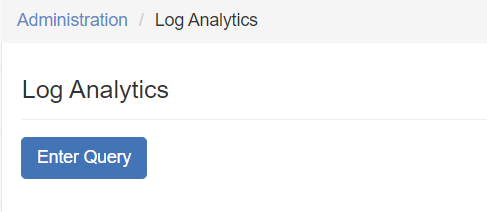
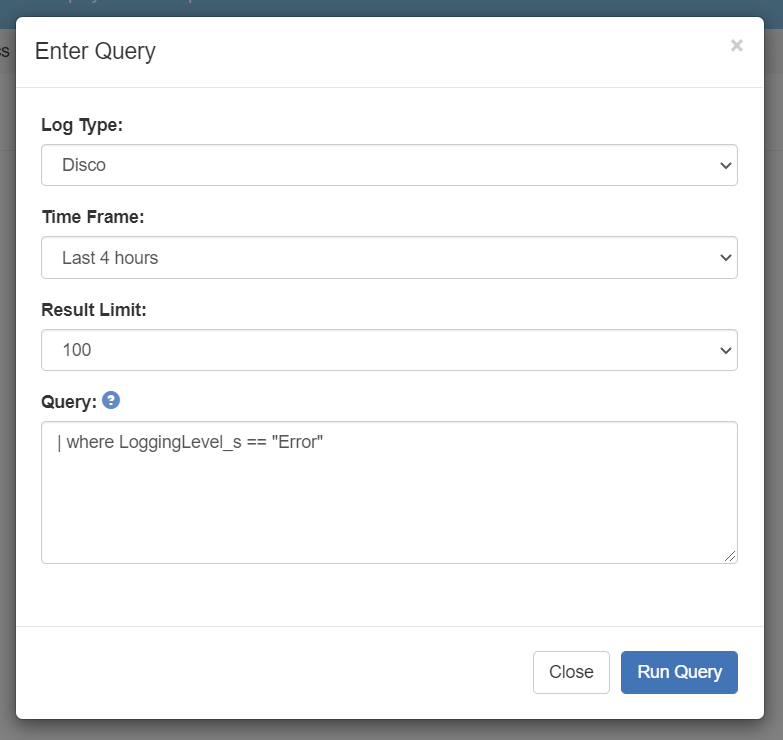
The Enter Query pop-up window opens.
-
In the pop-up, complete the filters:
- Log Type - Options are Disco or Public API.
- Time Frame - From the last 30 minutes up to 7 days.
- Result Limit - Select the allowed number of records from 10-1000.
-
In the Query box, enter your query using Kusto syntax. Click the icon to view an Overview of Kusto Query Language.
-
Click Run Query.
The page will fetch the results; this could take a bit of time, depending on the size of the query. Once retrieved, the results will display as a table on the page. Many of the results may appear off-screen; scroll your page horizontally to view all.
To show/hide columns:
- Click the Select Columns button.
- Select the checkboxes for the columns you want to see.
Columns List
| where <column_name> == 'value'Common Columns
Client_sEnvironment_sIPAddressLoggingLevel_s'Critical''Error''Information''None''Warning'
MessageCategory_sMessageText_sMessageType_sMethod_sResponseBody_sStackTrace_sStatusCode_dStatusReason_sTimeGeneratedUrl_s
Additional Columns
ComputerContainerType_sContextObject_sContextType_sDatabase_sException_Message_sException_StackTrace_sException_Type_sInnerException_sInnerExceptions_sIsClientConntected_bLogId_sLogName_sMGManagmentGroupNameMessageDateUtc_tMessageMetricTime_dMetric_sRequestBody_sRequestContentLength_dRequestContentType_sRequestId_gRequrestId_sResourceGroupResponseContentLength_dResponseContentType_sRevision_sServer_sServiceTime_dSourceSystemStateObject_sStateType_sTenantIdType_sTypeUnHandledException_s_ResourceId
Comments
Please sign in to leave a comment.