Release Notes: July 29, 2021

Here’s What’s New with DirectScale the Week of July 29, 2021.
Remember to come back every Thursday to learn about all the cool things we deliver weekly.
Learn How to Subscribe to Release Notes.
New Features and Enhancements
💰 Manually Add/Deduct Reward Points in Corporate Admin
Corporate Admin > Associate Detail > More > Reward Points.
For those who’ve set up —or are interested in setting up Reward Points in the system— we’ve added a new page in Corporate Admin that allows you to track, add, and remove Reward Points from an Associate’s account.
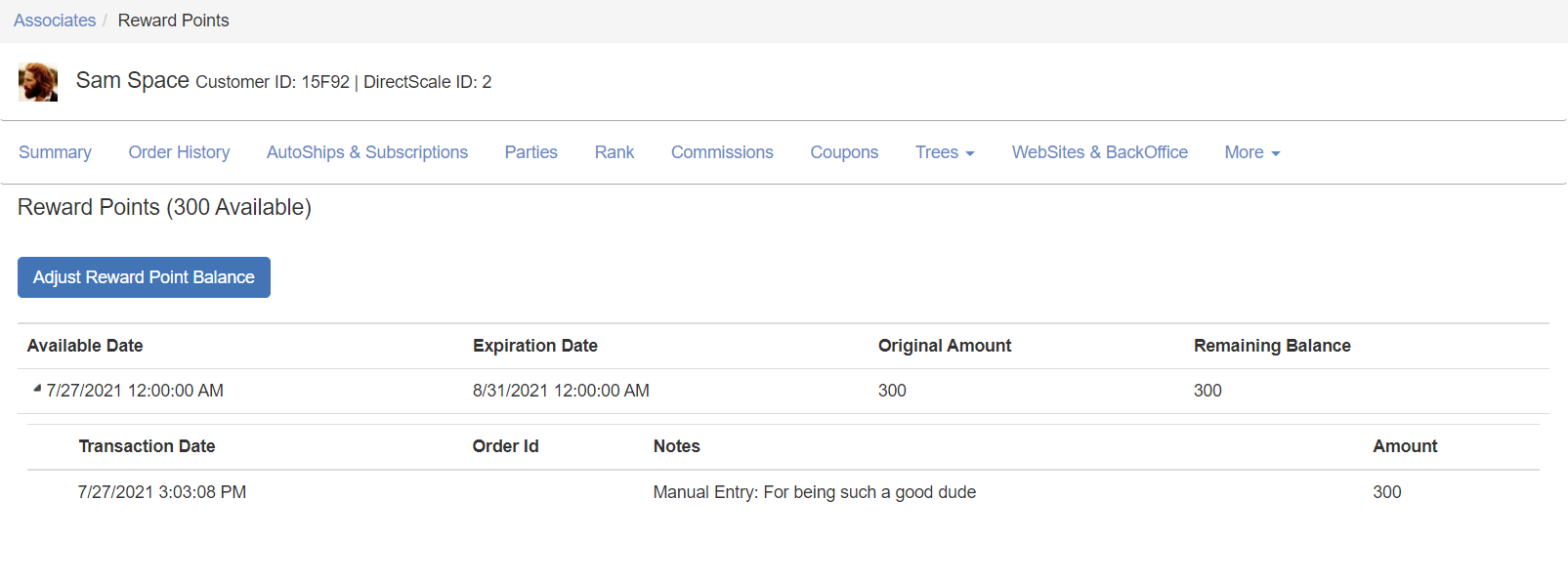
Previously, this page had to be custom-developed by a solution provider. With the page added to the core product, Reward Points are more accessible to set up than ever!
Read all about this new page in Adding Reward Points to an Associate Account in Corporate Admin.
🎁 Viewing Reward Points in Web Office
To go along with our goal to make Reward Points a more integrated part of the product, we’ve added additional Web Office components:
-
Reward Points Ledger page
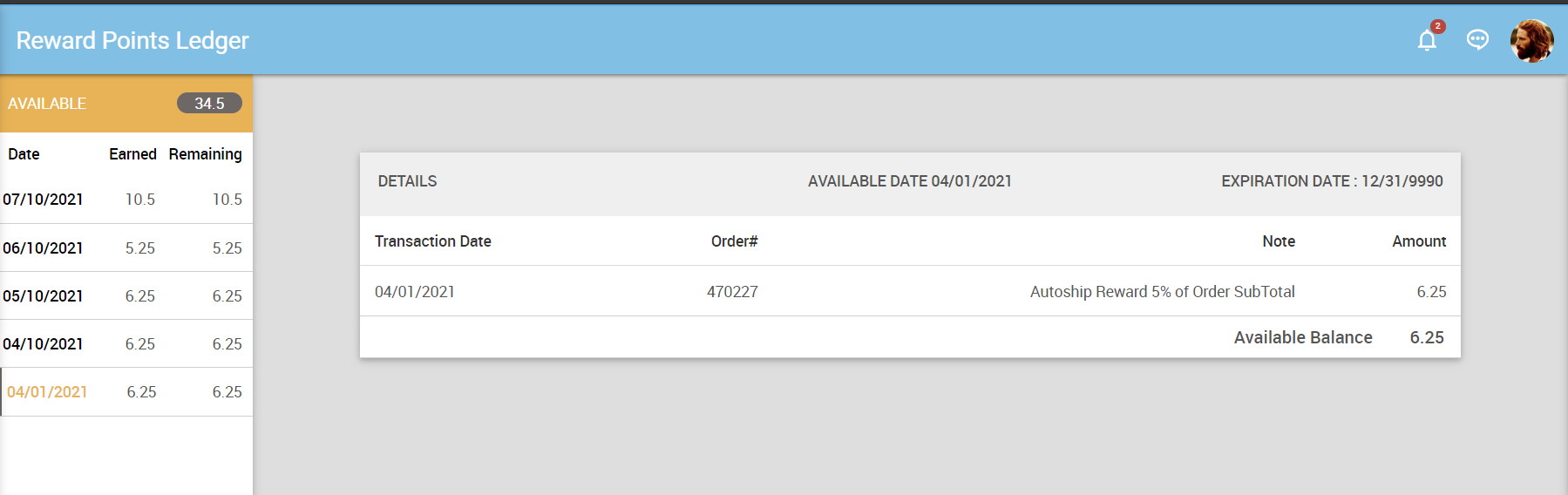
URL:
[CLIENTID].office2.directscale.com/app.html#/RewardPoints -
Home -> Reward Points widget
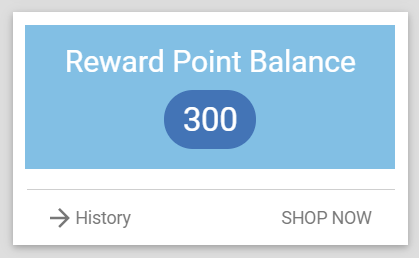
Read more about viewing Reward Points in Web Office.
🔍 View an Order’s Source
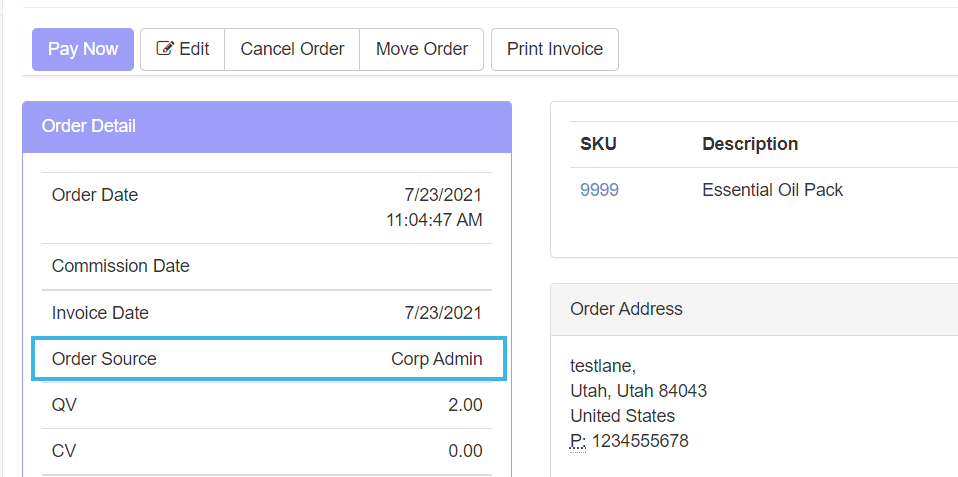
Corporate Admin > Order Detail.
We’ve added a means to track where an order originated, be it from the Corporate Shop, Public API, or Client Extension. We hope this will be an excellent tool for troubleshooting issues faster.
These sources appear on an order’s Detail page on the Order Detail section, labeled Order Source.
Read more in Viewing an Order’s Source.
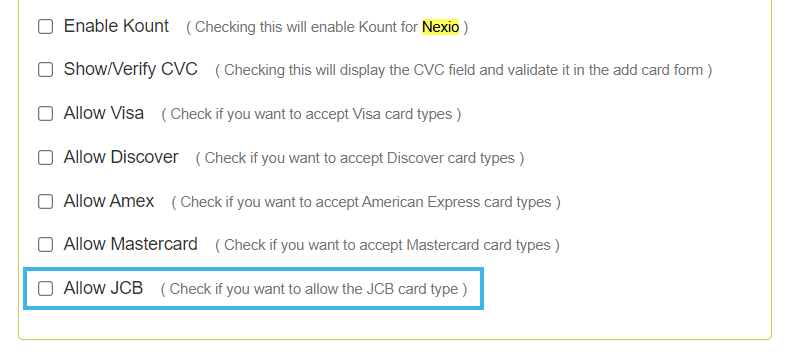
🈶 Added Support for JCB Card Type to Nexio
Corporate Admin > Administration > Advanced Settings > Merchants.
For those integrated with Nexio for your payment merchant, previously, we only supported Visa, Mastercard, Discover, and Amex. Now, we’ve added additional support for JCB (Japan Credit Bureau) card type to allow for Japanese payments.
To enable:
-
In Corporate Admin, navigate to Administration > Advanced Settings > Merchants.
-
Locate the Nexio section.
-
Select the Allow JCB checkbox.
-
Click Save Changes.
Bugs We’ve Squashed
- 🛠 Web Office Admin > Content Management > Testimonials. Fixed an issue with adding Testimonials. When it came time to save, the user could not because the page threw an error and a
400 Bad Request. - 🔧 Web Office > Testimonials. Fixed an issue with an added Testimonial’s SHARE link. When clicked, the resulting Share page wouldn’t load.
- 🧰 Web Office > Place an Order. Fixed the scroll bar for the Rewards Available sidebar.
- ⚙ Web Office Admin > Advanced Settings > Carts > Autoship Carts. Fixed an issue when creating a new AutoShip cart configuration. If you did not select any options from the Frequency dropdown, the cart still saved and defaulted to “Weekly”. Now, the frequency selection is required before the admin user is allowed to save the cart configuration.
Help Center and Developer Docs
📘 New!
- Viewing an Order’s Source - Learn all about the new order sourcing feature.
- Adding Reward Points to an Associate Account in Corporate Admin - Learn how to manually add/remove Reward Points from an Associate’s account.
- Viewing Reward Points in Web Office - Learn how an Associate can view their Reward Points balance.
- Home -> Reward Points - Added documentation for this widget.
- [VIDEO] Using the SQL Manager to View Data - New video tutorial detailing all the features of the SQL Manager.
✨ Improved!
- Using the SQL Manager to View Data - Rewrote and expanded the article to include features that most clients don’t know about.
- Auditing Commission Profiles - Added a reference to the Show / Hide (Payout by Associate Count, Payout by Amount) advanced setting.
- Reward Points Guide. Added link to new Reward Points article.
- Creating Custom Reports with the SQL Report Builder - Added additional wording and nuance throughout.
- Turning On Reward Points in Web Office Admin - Added additional contextual info.
🌄 What’s on the Horizon?
- New Web Office Homepage designs for the Dashboard, Reports, and more.
- New UI designs for the Admins.
- Cleanup in the eCommerce Admin to better enhance the experience of our new eCommerce offerings.
🙏 Is something missing from this list? Report bugs that you find to our amazing Customer Care team by chatting in from the Platform or submitting a request.
⚡ Do you have a cool idea for a new feature? Suggest new features or see other ideas you might have never thought of with the Feature Wishlist.
💡 Are we missing an article, video, or training resource? Add your request for new documentation or training ideas in the comments.
Comments
Please sign in to leave a comment.