Release Notes: August 26, 2021

Here’s what’s new with DirectScale for the week of August 26, 2021.
Version: 1.0.4848.0
Summary: Welcome to another weekly release. A light week for bugs and a heavy one for new features! This week, we’re excited to announce the release of the long-awaited Payment Recovery feature. For those using Nexio as your payment processor, you can take advantage of FlexPay to recover failed AutoShip payments. Additionally, this week, we create a new page in Corporate Admin that lets you view your Azure logs! You can read all about these features and more in the following Release Notes.
Remember to come back every Thursday to learn about all the cool things we deliver weekly.
New Features and Improvements
💲 Integrate with FlexPay for AutoShip Payment Recovery
Payment recovery providers, like FlexPay, use AI and machine-learning models to recover failed payments. Previously, DirectScale clients who process AutoShips had retry rules programmed to rerun failed AutoShip orders and capture the funds. Now, for those with Nexio as your payment processor, you can enable FlexPay to capture failed AutoShip payments, and the system will retry them at FlexPay’s recommended date. No more custom Daily Run Retry Rules!
Read all about this integration in Integrating with FlexPay for Payment Recovery.
Note: FlexPay is only available for Nexio. If you’re using other merchants, you’ll still need custom Retry Rules.
🔍 View Azure Logs in Corporate Admin
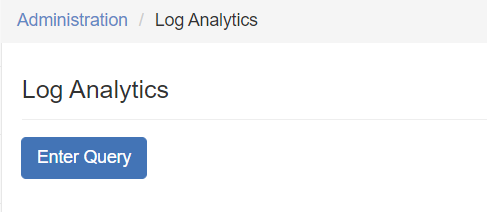
Corporate Admin > Administration > Log Analytics.
Another exciting new feature is a Log Analytics page in Corporate Admin. This page allows you to view your Azure logs, so you don’t have to go through Customer Care anymore.
Read all about this feature in Viewing Azure Log Analytics.
📷 Preview Image for Documents and Media Page
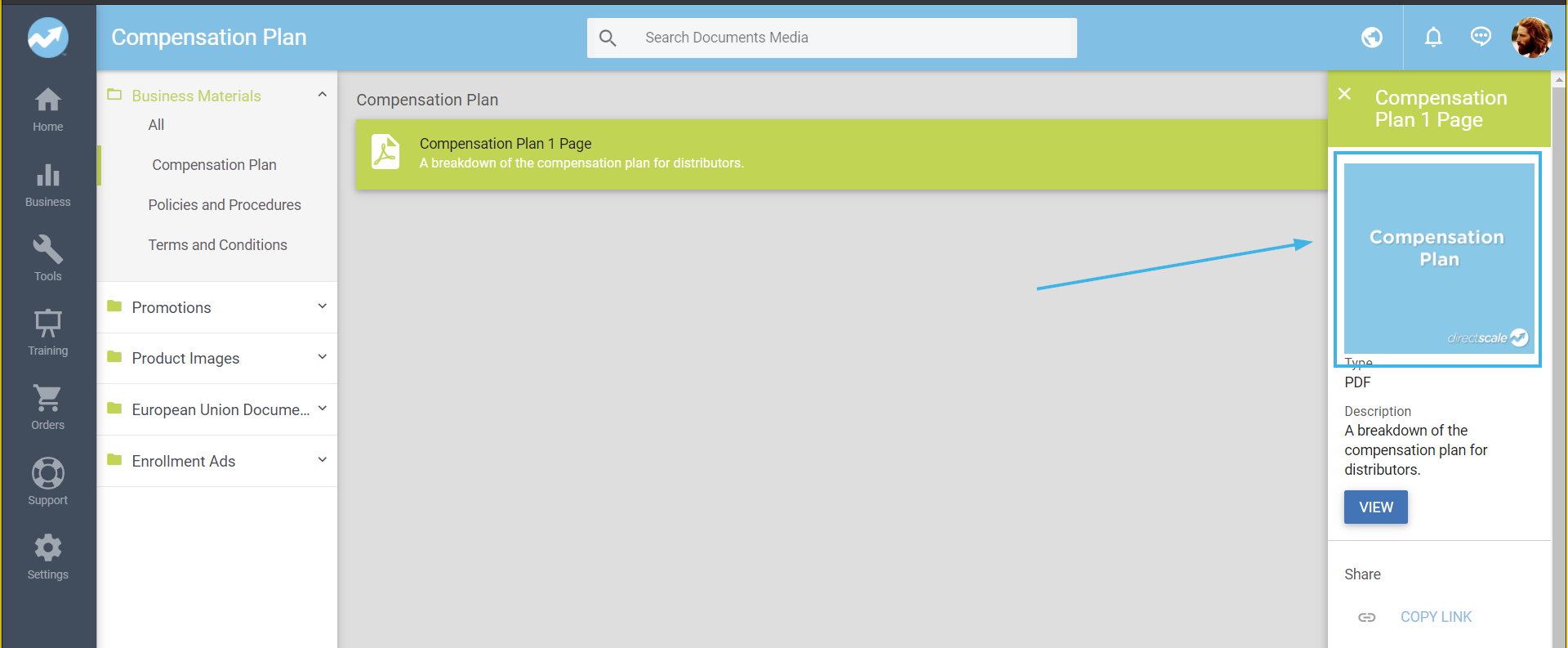
Web Office Admin > Content Management > Documents and Media.
For those familiar with adding resources to the Web Office Documents & Media page, you may have come across the Preview Image option to add an image to the Share page if the document preview couldn't be rendered in the browser. Now, that preview thumbnail will also display in the slide-out panel.
💡 Pass in PriceGroup in Calculate Customer Order Total Endpoint
Public API > Orders > Calculate Customer Order Total.
Previously, the Calculate Customer Order Total endpoint was not honoring the passed in PriceGroup; the CustomerType would override it. This created a problem with clients not calculating pricing on an order without changing the CustomerType on the customer’s account. Now, we’ve updated the endpoint to apply the following logic:
- If the Associate exists and
PriceGroupis not passed in, theCustomerTypeis used to calculate the cost of the order. - If the Associate exists and if the
PriceGroupis passed in, thePriceGroupis used to calculate the cost of the order. - If the Associate does not yet exist and
PriceGroupis not passed in, aPriceGroupof0is used. - If the Associate does not yet exist and
PriceGroupis passed in, thePriceGroupis used to calculate the cost of the order.
🎁 Additional Changes
- Removed “dead” 3PL providers (Enlinx and EuGlobe). Your options for integrated 3PLs are now Visible (IntegraCore) and the FTP Site.
- Exposed a Pub/Subsystem to the Client Extension. Currently, there are only two handlers:
AssociateStatusEditedandUsernameEdited. Read more about it in Using Pub/Sub in the Extension
Help Center and Developer Docs
📘 New!
- Integrating with Hyperwallet - Learn the ins and outs of integrating with Hyperwallet as either your commissions merchant or payment processor.
- Viewing Azure Log Analytics - Learn how to use Kusto queries to view your Azure data logs.
- Integrating with FlexPay for Payment Recovery and [VIDEO] Integrating with FlexPay for Payment Recovery - Learn how to set up your FlexPay integration.
- DirectScale Emissary Framework - Learn about this feature in alpha that makes it easier to develop with the Extension.
- Using Pub/Sub in the Extension - Learn how to tap into a Pub/Sub system.
✨ Improved!
- Removed dead 3PL references from articles.
- Integrating with Visible SCM (IntegraCore) and Setting up the FTP Site for Logistics - Condensed all articles.
- Merchant ID Reference - Added new IDs.
- Basic Compensation Plan Guide, Employee Admin User Setup Guide, Coupons Guide, and Auditing and Paying Commissions Guide - Changed the formatting to have accordions with the article content within.
- Setting up Tax Services - Reduced the many articles into one.
🌄 What’s on the Horizon?
- Redesigning the Corporate Admin UI.
- New dashboard and reports are coming.
- Additional merchant integration articles.
🙏 Is something missing from this list? Report bugs that you find to our amazing Customer Care team by chatting in from the Platform or submitting a request.
⚡ Do you have a cool idea for a new feature? Suggest new features or see other ideas you might have never thought of with the Feature Wishlist.
💡 Are we missing an article, video, or training resource? Add your request for new documentation or training ideas in the comments.
Comments
Please sign in to leave a comment.